
BUILDSCAN
Building inspection,
inside and out.
Drones capture the façade, professional cameras capture the interior, and every defect lands on one record that your engineers review and sign.
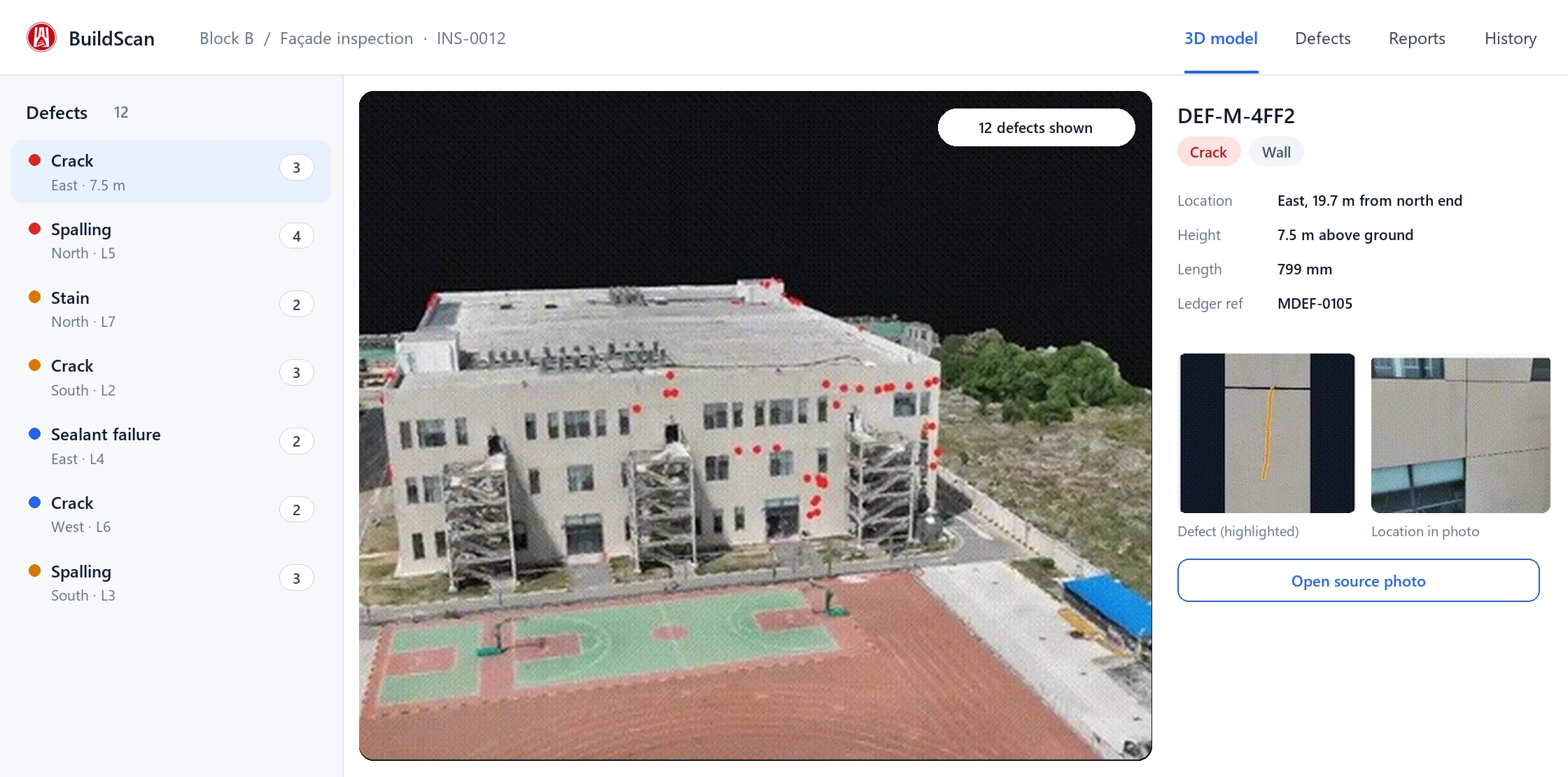
Product preview: illustration based on the BuildScan web app; the 3D model and the defect record are real.
No work at height
Drones capture every elevation. Crews stay off ropes, gondolas and scaffolds.
Every photo in its place
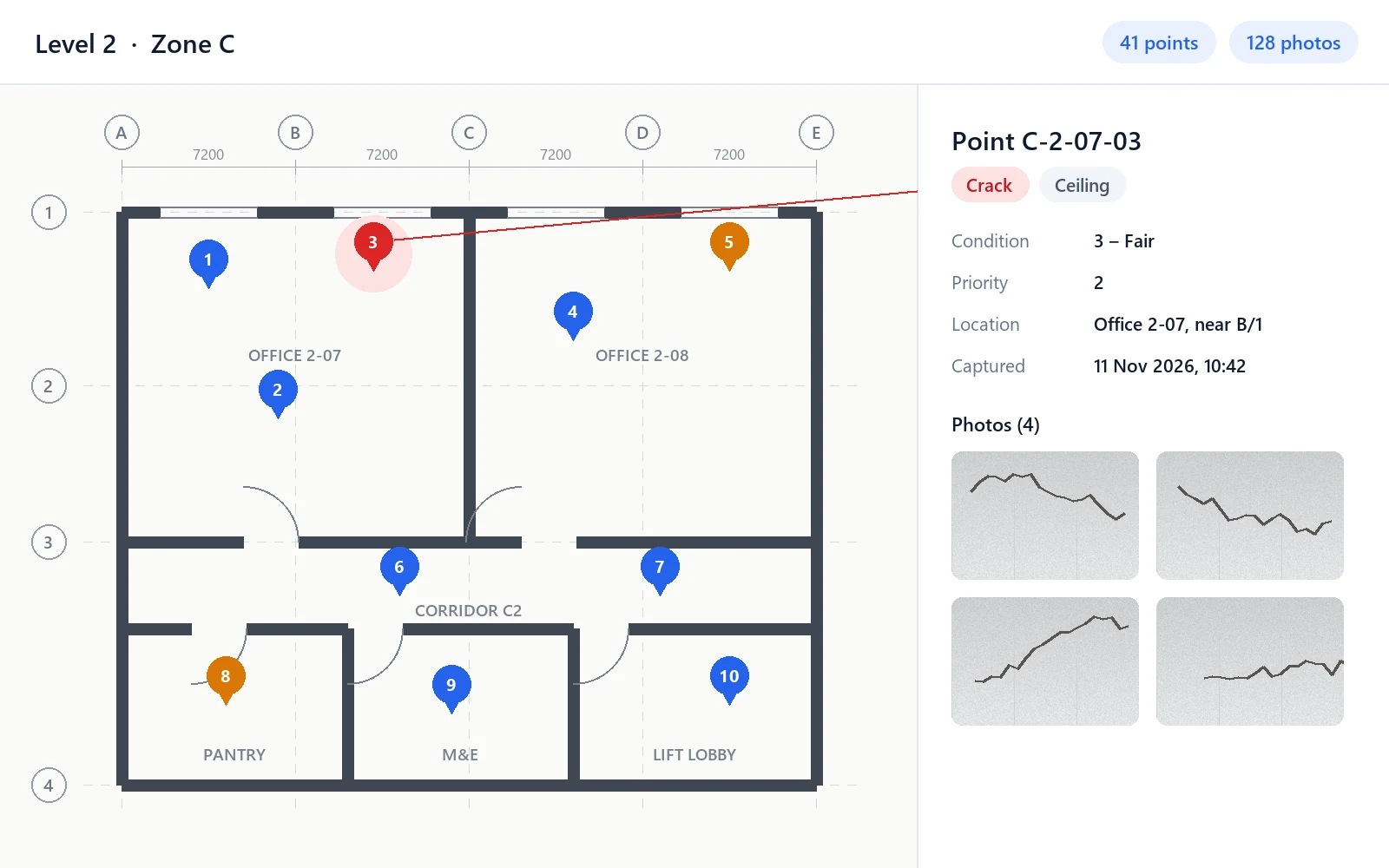
Façade defects sit on the 3D model; interior photos sit on the floor plan.
One record over time
Re-inspect and compare with history, inside and out.
BUILDSCAN FAÇADE
The façade, mapped in 3D.
01Plan
Collision-free flight paths for the whole façade, or only the floors you need.
02Capture
The drone flies the route and photographs the façade with RTK positioning.
03Review
AI flags and measures cracks, spalling and water ingress. Engineers confirm every finding.
04Report
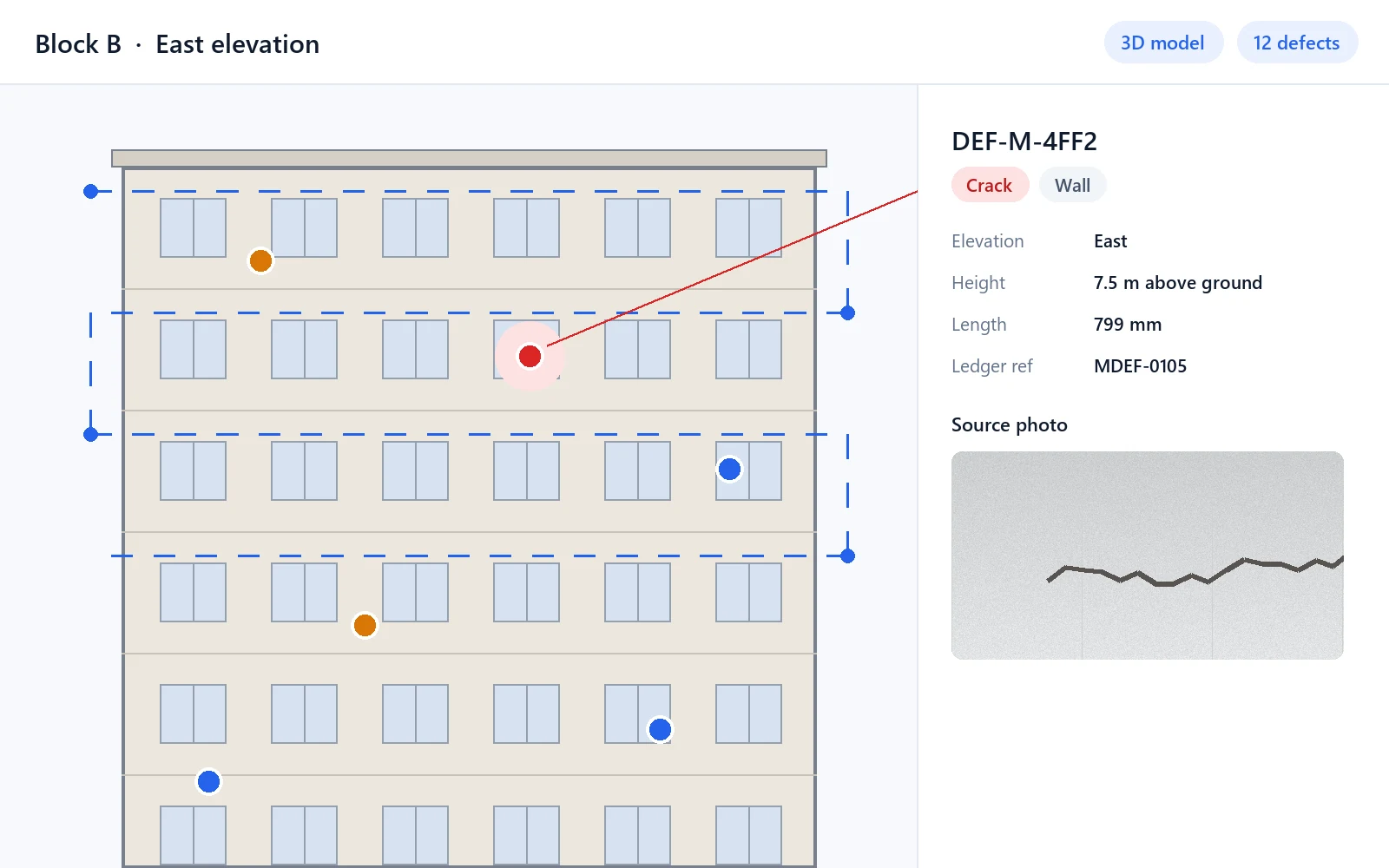
Each defect is pinned on the 3D model with its source photo, ready to sign.
BUILDSCAN INTERIOR
Interiors, pinned to the floor plan.
01Set up
Upload floor plans, split them into zones and assign points to the team.
02Capture
Shoot with a professional camera; each photo lands on its point on the phone or tablet, even offline.
03Review
AI suggests the defect type. Engineers confirm it on your own condition scale.
04Report
Editable Word, PDF and Excel and an interactive floor-plan view, merged with the façade.
WHAT YOU GET
Deliverables your team can use
3D defect map
Every façade defect on the building model, with its photo and measurements.
Defect register
One list per building in Excel, with location, condition and priority.
Inspection reports
Editable Word and signed PDF, in your format.
Floor-plan report
Interior findings on the drawings, page by page.
History
Compare inspections and track repairs over time.
HOW TO USE IT
Use it your way
FAQ
Common questions
Do we need our own drone team?
No. We can inspect for you, or your team can fly with its own DJI enterprise drones.
Who signs the report?
Your licensed engineer. BuildScan provides located, measured evidence; the judgement stays with your engineer.
Who owns the data?
You do. Project data belongs to the client.
Does the field app work without internet?
Yes. Photos are kept on the device and sync when you are back online.
Have a building to inspect, or a system to build?
Tell us what you need. We reply within 1–2 business days.